

Working now
An AI colleague that already knows what your day looks like
Not a chatbot bolted onto a website. A dashboard that reads what is already arriving in your practice and tells you what actually needs doing.
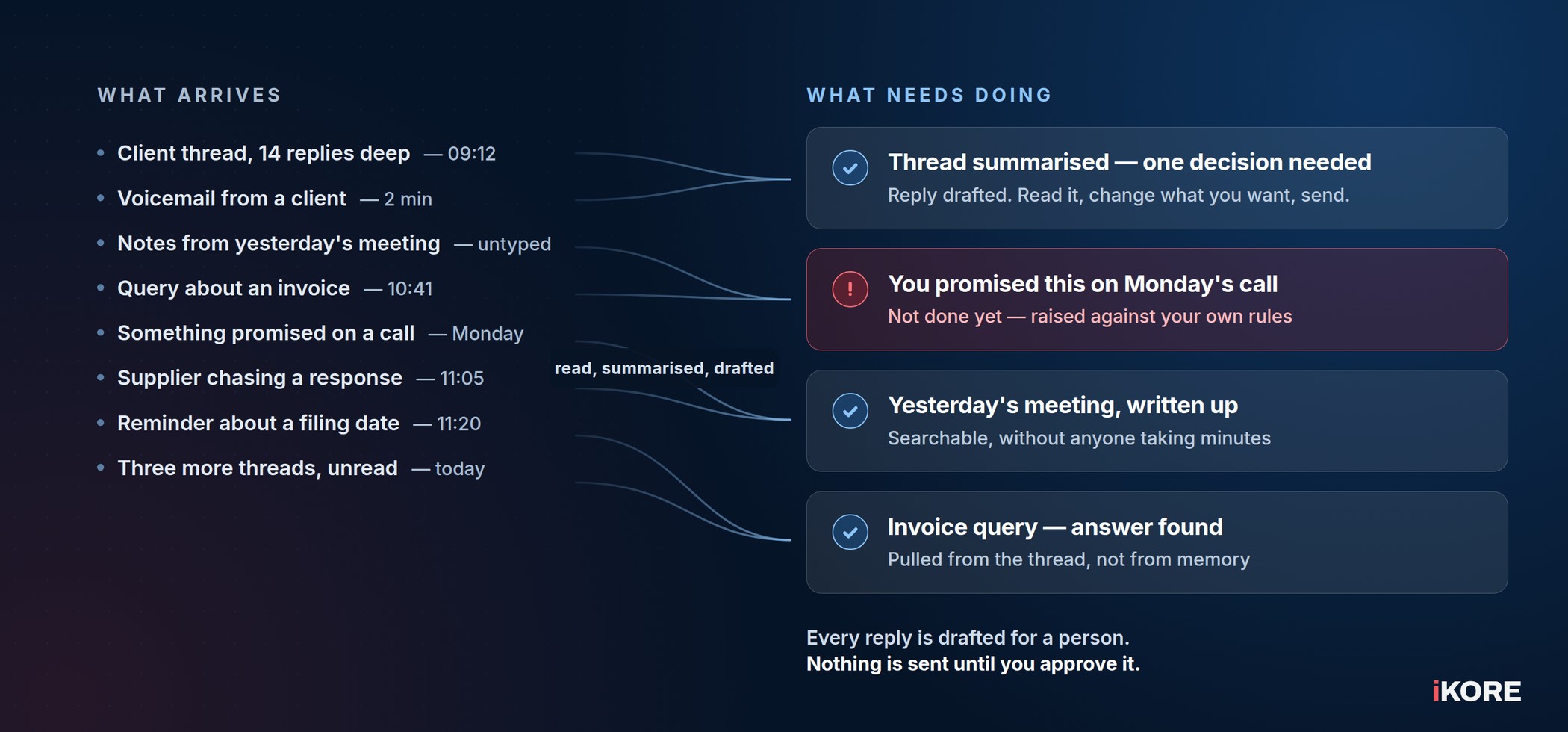
Working today
What it does for you
Built and tested, and in use. Not a roadmap.
Get to the bottom of a long email thread in seconds. Summarised, searchable across every mailbox you need, with the reply already drafted for you.
Send from one place. Read the draft, change what you want changed, send. You are not copying text between windows.
A follow-up list that builds itself. Commitments are picked up and raised against rules you set — and where it is unsure, it asks you first rather than filling your list with noise.
The thing you promised on a call does not disappear. Follow-ups come from more than the inbox: calls and meetings are captured too, so nothing depends on somebody remembering.
Meetings and notes stop being lost. What was said and what was agreed, written up and searchable, without anyone taking minutes.
The part that matters
It drafts. You decide.
Nothing is sent on your behalf without a person reading it first.
Most practices are wary of AI for a specific reason: they picture it acting for them, unsupervised, in front of a client. This does not work that way.
Every reply is drafted for a person to read, edit and approve before it goes anywhere. Your AI colleague proposes and you decide — which is the only arrangement that makes sense when the person on the other end is your client and the obligation to them is yours.
It is also the practical answer to the problem we wrote about here: staff are already using AI, and a policy on its own does not give them a better tool to reach for. This gives them one that sits inside the systems you already control.
Your data
Where your data actually goes
We would rather tell you plainly than hand you a slogan.
Every practice runs in its own isolated environment, separate from every other client we look after. Your data is not sitting in a shared tenancy alongside another firm’s. That is the part most providers cannot say.
What we will not tell you is that nothing ever leaves that environment, because for a tool of this kind it would not be true — and you should be sceptical of anyone who tells you otherwise. What we will do instead is name, in writing and before anything is switched on, every third party involved in processing your data and the terms that apply to them.
Your environment is yours alone. Isolated to your practice, not a shared system with other firms’ data sitting next to yours.
Named in writing, before go-live. You get the list of who processes what and under which terms, so your own obligations can be met properly rather than assumed.
Never a consumer AI tool. The behaviour this replaces is a client file pasted into a free tool at eight in the evening, with no agreement behind it and no way to recall it. This is the opposite of that.
The paperwork comes to you. We put the data processing terms in front of you rather than waiting to be asked for them.
If your practice is regulated, and most of the ones we work with are, that paperwork is not an afterthought. Ask any AI provider for their list of who processes your data. The answer, and how quickly it arrives, tells you most of what you need to know.
How we roll it out
Set up properly, practice by practice
It goes in with your systems, not alongside them.
We put it into each practice individually rather than handing over a login and wishing you luck: your mailboxes, your rules for what counts as a commitment, your sign-off on what it is allowed to touch. That takes a conversation, which is why we take on a few practices at a time.
The quickest way to judge it is not a feature list — it is watching it work on a real thread from your own mailbox.
Next step
See it working on your own mailbox
The quickest way to judge it is to watch it handle a real thread from your own practice. Tell us what kind of practice you run and we will arrange a look.
Put AI colleague in the subject line so it reaches the right person.
Questions
The obvious questions
Is it available now?
Yes. It is built, tested and in use. We set it up with each practice individually, so we take on a few at a time.
Will it email a client without us seeing it?
No. Replies are drafted for a person to read, edit and send. Nothing goes out on its own.
Does our client data leave our environment?
Your environment is isolated to your practice alone. Beyond that, a tool of this kind does involve third-party processing, and we will name exactly who and on what terms in writing before anything is switched on — rather than offering you a reassuring sentence that would not survive an audit.
Is anything we put in used to train a public AI model?
No. That is the whole reason for building it this way instead of pointing staff at a consumer tool.
Do we need to be an iKORE client?
Setting it up is quickest where we already manage the environment, because the groundwork is in place. If you are not a client, ask anyway and we will tell you what would be involved.
How do we judge whether it is any good?
Watch it work on a real thread from your own mailbox. Ten minutes of that tells you more than any description we could write here.